Activations#
Prefer videos? Check out our YouTube playlist for video guides on how to use the plugin.
Documentation is a Work in Progress
This documentation is a work in progress and may be missing information or contain errors. If you need help please contact us on our Discord server!
If you know about this topic and want to help us, please consider contributing to this page on GitHub.
Activations decide when a function is used and which pattern it selects.
A function can have more than one activation.
Standard#
A Standard activation uses one or more keybinds.
It has two modes:
- Cycle — moves through the patterns in the function.
- Set Pattern — selects a specific pattern.
For Set Pattern, enter the pattern number you want to use.
The default Standard activation uses J and DPadLeft.
Default#
A Default activation chooses the pattern that is used by default.
Select the pattern number you want to use.
Override#
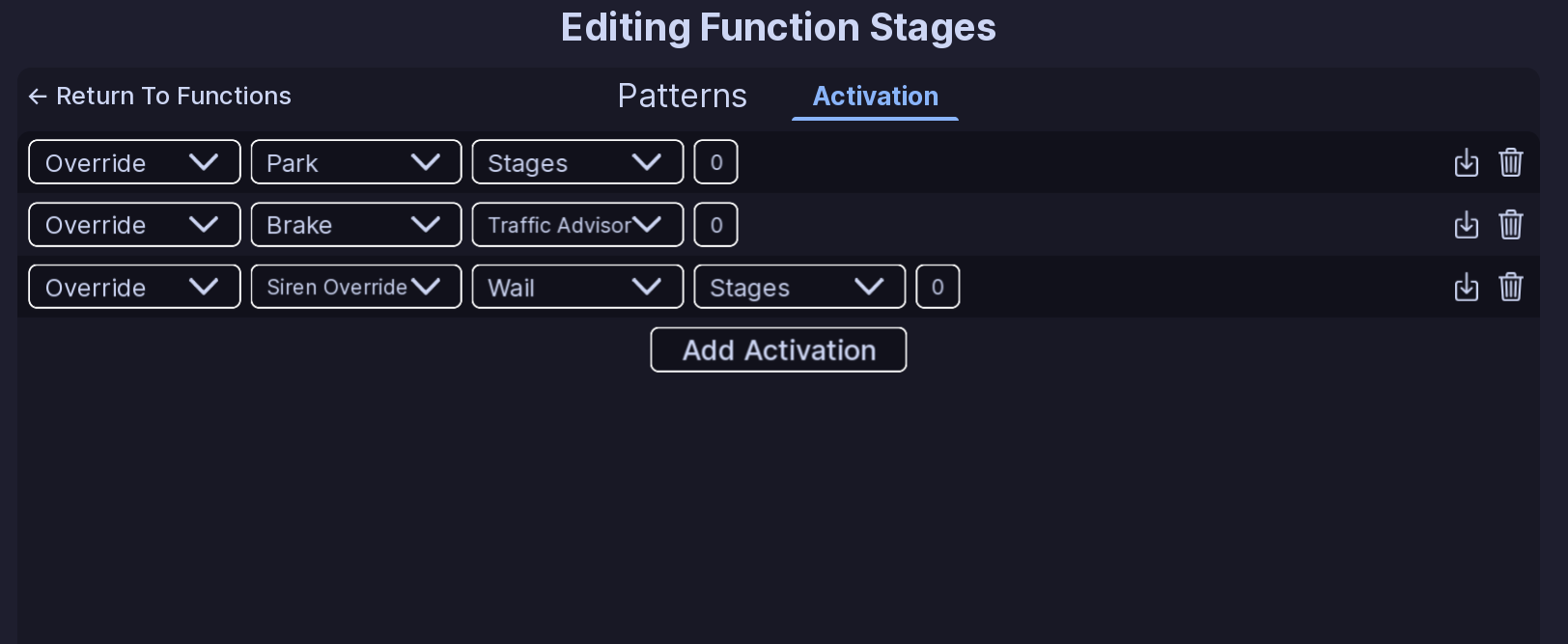
An Override activation changes a function based on another vehicle state.
The available options are:
- Siren Override
- Park
- Brake
- Reverse
For Siren Override, choose the siren that should trigger the override.
You can also choose another function and pattern for the override to use.
AG-Event#
AG-Event activations are available for AG-Chassis and MG-Chassis vehicles.
Available events:
- Stages
- Traffic Advisor
- Scene
- Ally Left
- Ally Right
- Rear Scene
These do not use a keybind or pattern number.
Editing an activation#
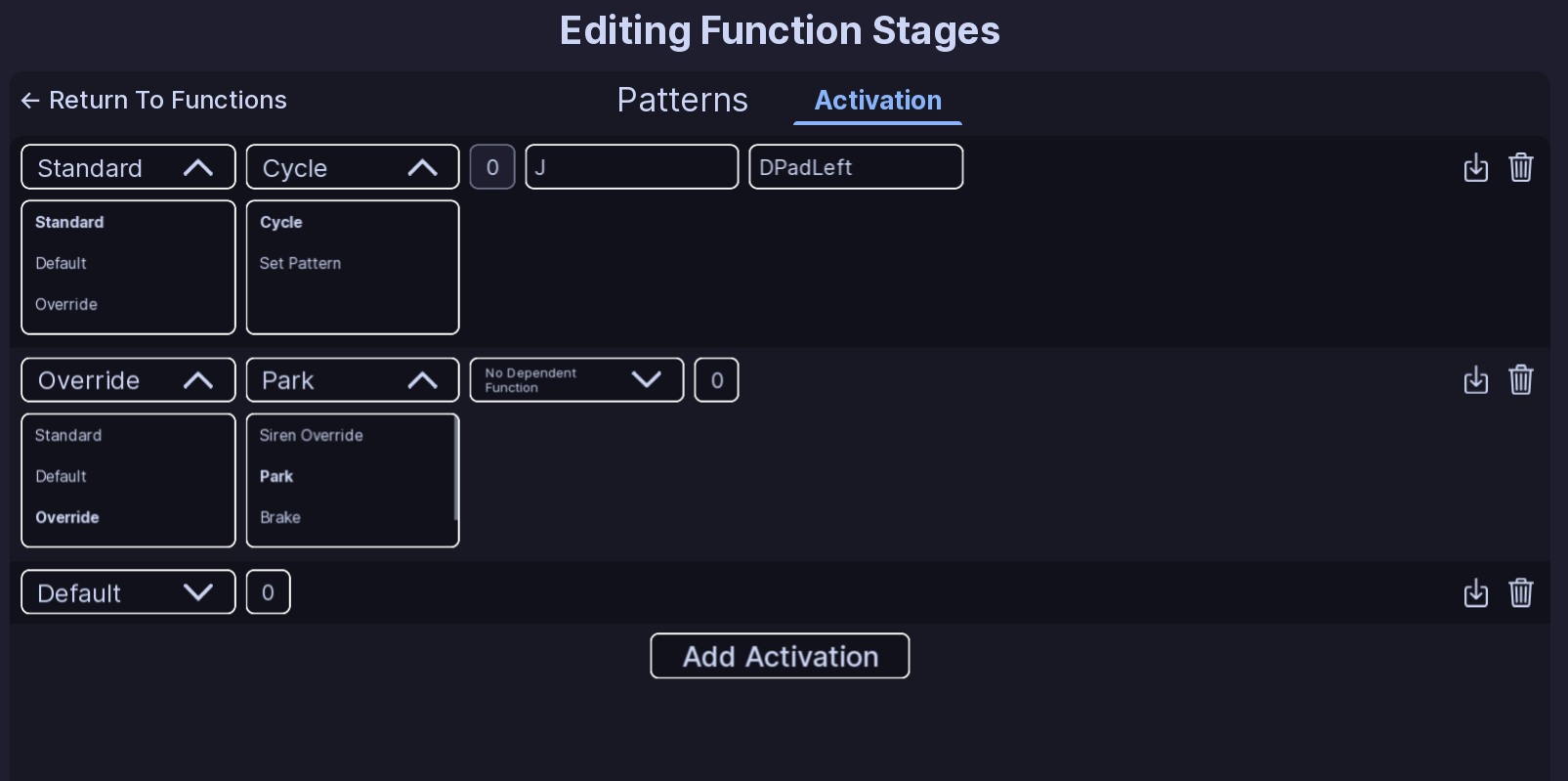
- Open a function.
- Open the Activation tab.
- Choose the activation you want to edit.
- Change its type or settings.
- Use the delete control to remove an activation.
Changes are saved as part of the vehicle configuration.
Note
Pattern numbers start at 0 in the configuration. The first pattern is 0.
All Done!#
You can now use activations to control when each function changes its pattern.
Here are some recommended next steps to help you get started:
- Function Setup: Learn how functions organize patterns and activations.
- Flashers: Learn how to create a basic light pattern.
- Siren Setup: Learn how to set up and configure sirens.
If you encounter any issues or have questions, feel free to contact us on Discord.